Thanks to Sao Ohtake for handmodelling
Continuing from few weeks ago...
a recap
Inspired by the contemporary audience behaviour in art gallery and exhibition, where audience are carrying another set pair of eyes -- their mobile device camera -- to take picture of the work. Some people may not even look at the work for as long as their camera takes the picture.
By noticing the property of the aliasing effect that happens on camera due to its specific range of shutter speed and/or fps, we can take advantage of this to insert our hidden message in the artwork.
The project could be either showing 2 different versions of the artwork (e.g, the artwork shows A when seen with eye, and it shows pattern B when seen through camera, but both carry different but meaningful information such as text or different shape), or, it could really be substracting the experience (e.g, the face got sensored when it is seen through a camera, or it reveals a watermarked version of the work so that people will by default credit me if they circulate this image of the artwork).
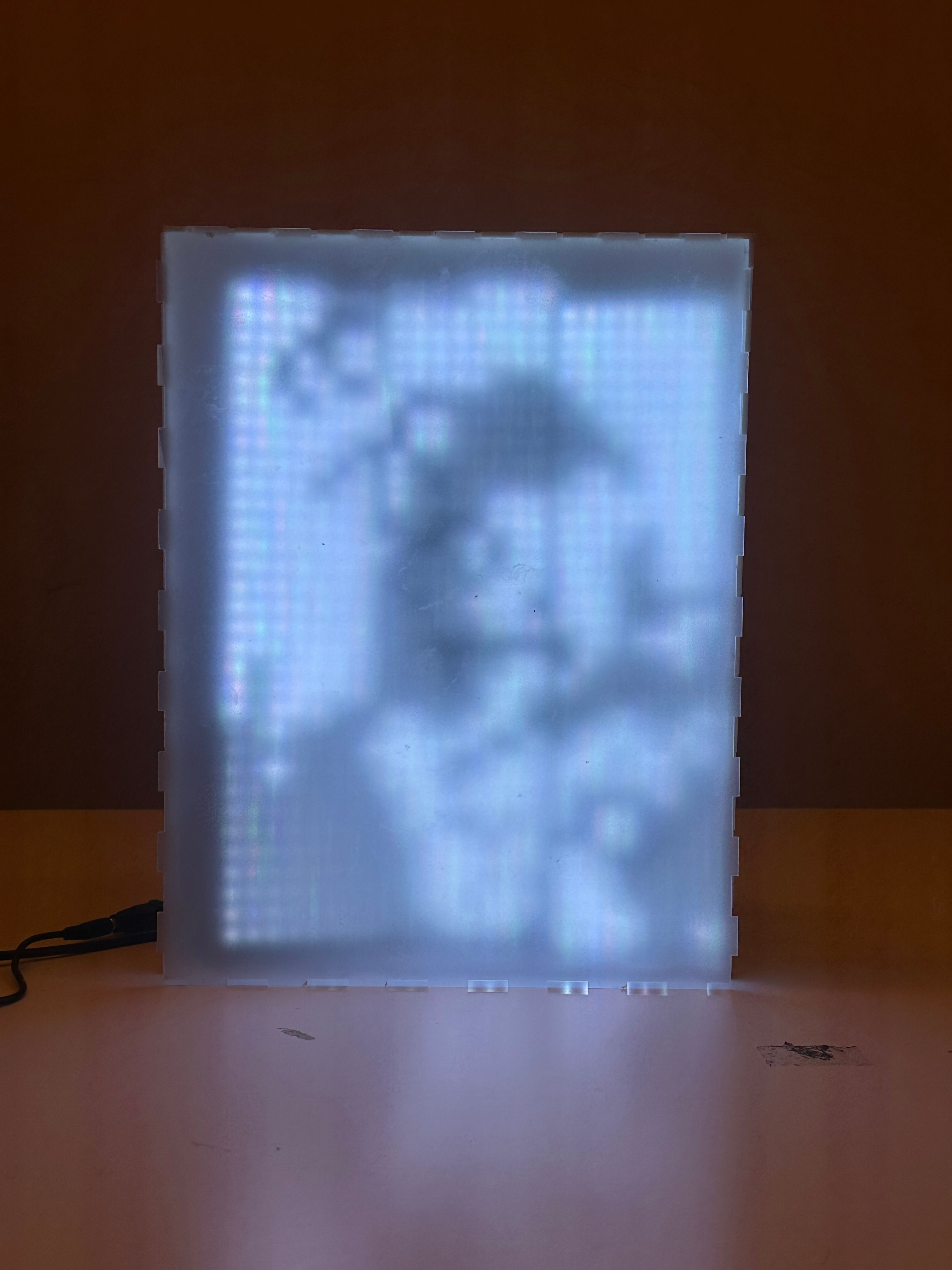
Technology Used
- p5js: ml5's FaceMesh, Serial Communication
- Arduino: flicker rate, parsing pixels from p5js
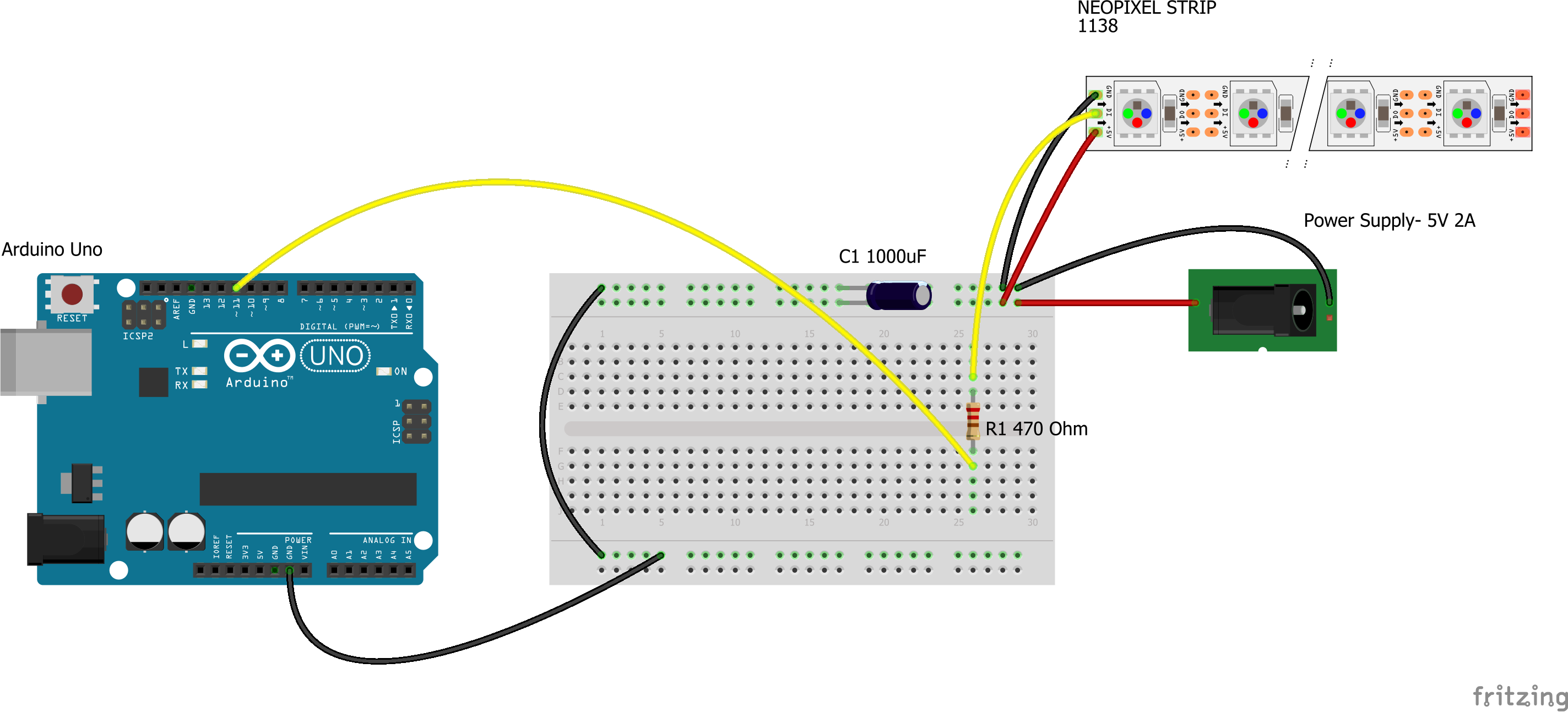
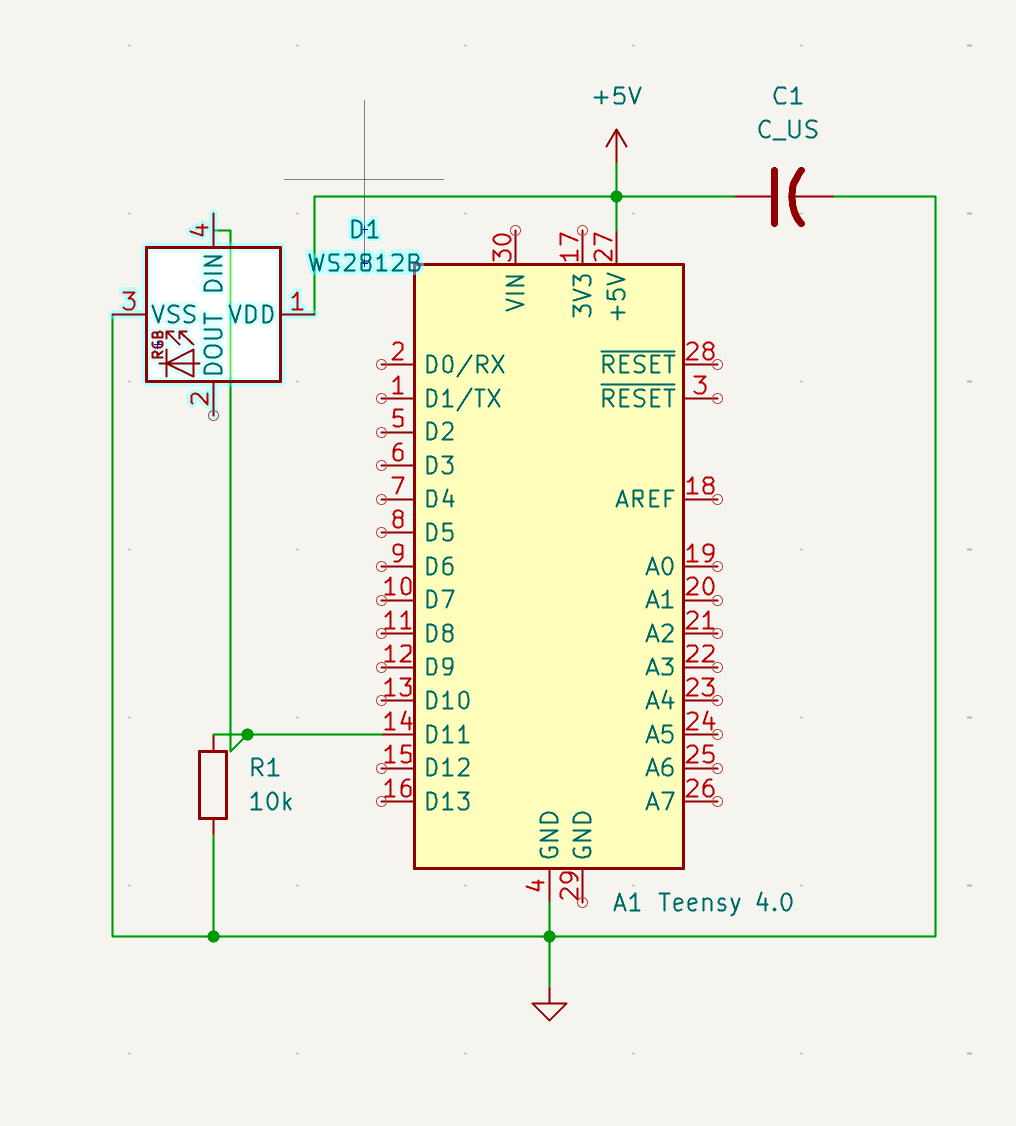
* correction: the DIN should be connected directly to MCU Data Pin, and the resistor also directly connects to MCU Data Pin --> a pull-down resistor model
* correction: change the MCU to Teensy 4.0
Materials
- 3 piece of 8x24 neopixel strips, not daisy-chained so i can return it, connected to 3 different digital pins
- 1000 mf capacitor
- 3 piece of 470 Ohm resistors, connected to each neopixel strips
- 5V power source
- Matte acrylic & frosted acrylic, cardboard
Parsing Frame Logic
Hypothesis, Expectation, & Readings
My expectation is summarized by the Talbot-Plateau Law, where If a light flickers so rapidly that it appears as continous and its perceived brightness will be determined by the relative periods of light and darkness. I don't mind a weaker light just as long as they produce the flickering visual that I expect on camera but not on human eyes. I also set the HIGH & LOW of the LED to be even to follow Talbot-Plateau law.
It is also believed that the human eye cannot detect flicker above 50 to 90 Hz and it depends on intensity and contrast, but some reports indicate people can distinguish between modulated and steady light at up to 500 Hz (when a display includes high frequency spatial edges) (Davis et al., 2015). Davis et al. (2015) raises a question: What framerate is necessary to provide the illusion of a stable picture? which becomes the trouble that I'll be facing in this artwork since it may differ from one to another. Davis' hypothesis is that unconscious rapid eye movements across high frequency edges in the displayed image is the culprit of the increase of our critical frequency flicker threshold.
Davis also differs their experiment in 2 conditions: flickering on spatial edge (flickering just a part of the pixels HIGH) and uniform light (flickering all pixels HIGH and LOW altogether). The paper found that flickering on uniform light produces the traditional CFF result where people don't see flickering beyond 65 Hz, but on spatial edge, people can tell the flickering up to 500Hz! The edge difference definitely helps. This is something to watch out for my artwork plan, because I want to hide some information, which means I am putting a difference (edge) between some pixels apart from the rest, and there is a high chance that I probably won't be able to make seemingly stable light if it does not go beyond 500 Hz. Even if it goes beyond 500 Hz, by that threshold a camera probably could not catch it unless I set the camera to a certain shutter speed.
The paper also found that subjects is more sensitive to flickering with green color and less with blue color. No problem with our plan since ours is going to be B&W anyway, although i found the LED panel that I use sort of translate it into a cooler tone, which is not an issue for our preference here since human subject is least sensitive with blue anyway.
I need to account for ITP floor ambient light that may affect the viewing experience of the artwork.
A few background context:
Traditional movie theaters and televisions -> ~48–60 Hz
Computer display -> ~72 Hz
Stereo 3D television -> ~120 Hz
Traditional TVs show a sequence of images, each of which looks almost like the one just before it and each of these images has a spatial distribution of light intensities that resembles the natural world. The existing measurements of a relatively low critical flicker fusion rate are appropriate for these displays (Davis et al., 2015).
In contrast, modern display designs include a sequence of coded fields which are intended to be perceived as one frame. This coded content is not a sequence of natural images that each appears similar to the preceding frame.
I found it also interesting that Mankowska's paper states that flicker exposure can be a therapy (especially for older healthy people) to induce brain functions. Unrelated but I wonder if this flickering thing is parallel to the short attention span content that constantly move, is this kind of content better to stimulate the life of our brain?
Technology Exploration
(me from future, Sep 2026) Just read Mankowska paper, I suggested to myself to run a test again with potentiometer and tell myself when do I start perceiving the flickering as continuous. I've actually done this back then as per Octavio's advice last year, but I didn't remember where I save the documentation so...
Here we go:
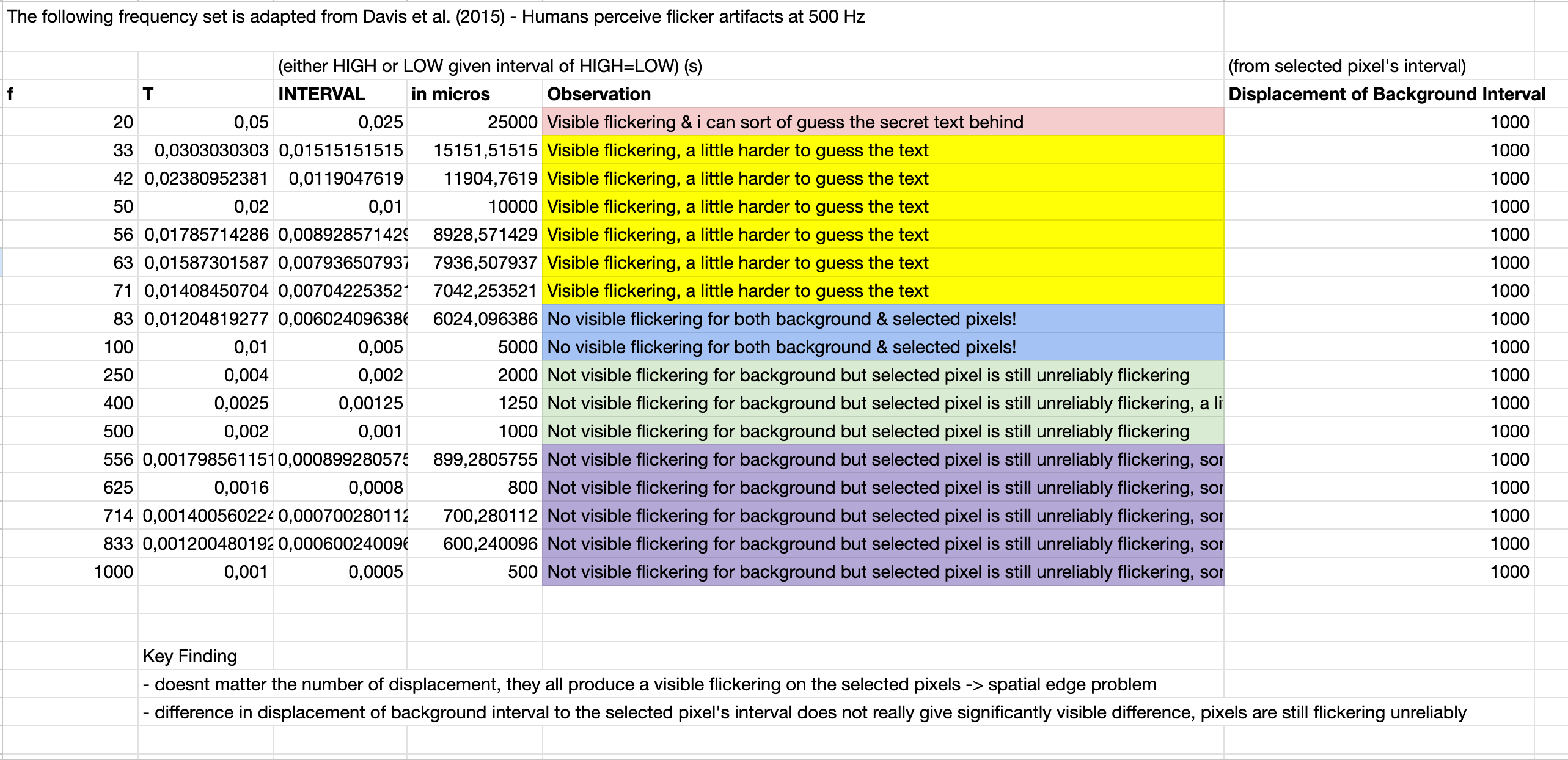
Given this result, none of them achieve the effect that I wanted - that both the background & selected pixels are not visibly flickering. The best set we can select for exhibition purposes is probably using 500Hz (1000us as interval, background interval offset by 100us).
(me from future, Apr 2026) I'm redoing the experimentation to have neater checks, however I only have a 16x16 WS2812B LED Matrix and I'm testing only with iPhone 14 Pro camera on video mode 30fps. (me from future, Sep 2026) these test are uploaded to the microcontroller separately instead of toggling the frequency on one lifecycle of the microcontroller with some sort of knob / potentiometer.

There's some anomaly on 50Hz where it appears as continuous to the eye but on 100Hz it is back flickering on the eye. That is when I start questioning whether this is a reliable to test. Thus I tried again but only on 1 LED to remove the possiblity of the humongous number of the LEDs (256) affecting the flickering. Since the way the LED matrix lights up is by updating per LED on the row and column, it is possible that the last LED on the matrix will receive more delays. However, I'm not sure still.

With 1 LED, I'm getting a promising result where on 25 Hz and less it starts flickering on the eye and on 100Hz and larger it starts to appear as continuous on the camera.
I hit a plateau as my Arduino Nano 303 IoT couldn't get into the realm of micros to update the flicker of the LEDs (from HIGH to LOW). I consulted ChatGPT first and it suggested ESP32, however, when I tried to reconfigure the whole circuit with a Nano + ESP32, it couldn't even get the Neopixels to light up. Some considerable time is spent on this, and I came to a point where it is not worth it to pursue with this microcontroller. Just as I was thinking to downgrade the project to use Nano 303 and just use 1 strip of NeoPixel with text on it (my initial idea was to put an image, and even more ambitious, a camera stream).
Coming into rescue, Fabri suggested me to try Teensy 4.0 as apparently it is the fastest microcontroller out there. Low and behold, it works perfectly! Yes, the flickering watermark will still be dimmed, but I think we can find a combination of colors or graphics that will help to make this visual leak less visible.
As of now, we're flickering it at a whopping 1 micros on the Arduino, but who knows what is the actual maximum update rate from Teensy 4.0 (maybe approx 30µs per LED strip + reset time).
One of the struggles I have with this project is coming with no clear concept. Of course there is no right or wrong on how to build on a project, I believe it is a cycle of concept building and tech/fabrication development, however, in my case, it is very much skewed towards the tech dev. I have more peace of mind if I try out first what technology will work and then match the concept towards it. So here are some variations that I've tried, all of them are still under the theme of the hidden watermark:
Variations
Rawfeeding the camera feed to the pixels. The variance of color is quiet unpredictable and hard to handle. Issues include:
- lighter color could reveal the watermark dimming easily. A possible solution is to put a background that's constantly busy to divert audience's vision from the watermark.
- the brighter (white) end of the pixel is rendered as green on the Neopixel, not sure if this is happening because of the way LED is being perceived by the camera. A possible solution is to constrain the color, and if it is too bright maybe just render it as white on the code?
Watermark + Camera [RGB Color]
This is a variation that I thought could solve some of the issues happening in the previous variation (watermark being obvious, color inaccuracy). Simply limit the colors to duotone, well, in this case it is monochromatic but technically it is a duo tone of white and black.
Watermark + Camera [Monochromatic]
I found that choosing really bright neon color combination will help reduce the visibility of the watermark in real life. Red and green are better combination compared to blue & green though.
Watermark + Camera [Duotone Blue/Green]
This is a new variation that I thought may be extending the concept further (if not straying away, i hope!). I got the idea because I notice the aliasing band that happens while documenting my work-in-progress. I thought, wouldn't it be meta if I refer to this aliasing as a way to make the subject (the LED lightbox artwork) 'copy' the camera artifacts on the environment and hinting the audience that this work has a little something to do with the camera shutter speed properties?
Watermark + Aliasing [Duotone]
Another extra iteration that I did is putting the camera stream underneath the aliasing, though I think it is a bit too much.
Watermark + Camera + Aliasing [Color RGB]
After talking to Gabe BC, he mentioned of Penelope Umbrico (in addition to Jim Campbell, who is mentioned by Danny Rozin during a feedback in class), and advises me that: if the work is about copyright, then maybe I could take a look into stock photos, AI-gen images, or images that are commonly used by people.
And so I tried to fetch AI-gen images from WIkimedia Commons. If I go with this variation, the work will definitely be talking about copyright and the debate whether AI-gen images can be claimed of its copyright. However, on the audience side, I'm not sure if this experience is enriching for them?
After doing all these iterations, I realized that my initial concept may not be just one actually. I thought I was interested in the copyright, but I think I might be more interested in the idea that using your mobile device (or accessible camera device) can alter the experience of one when looking into a photograph. And if we circle back to my initial inspiration -- which is to make fun of the people in art gallery where they take selfies without looking into the work for long, it seems that I need to put aside the copyright idea.
&TLDR;
All the above variations didn't make the cut due to my concern that the camera stream distracting from the watermark / secret message artifact. The ideas above may have arised due to my dilemma in finding a trick to compel audience to take a picture. I delved again, maybe a face filter could work, maybe instead of a watermark/copyright, the camera could be blocking the audience's face instead so they couldn't take their picture -- which defeats the purpose of the camera itself!
- snippet of video here -
That being said, the final iteration of this work for the 2025 ITP Winter Show fall between the options of:
1. Face filter + watermark -> more straightforward message towards audience. The work mocks you from taking a picture of yourself.
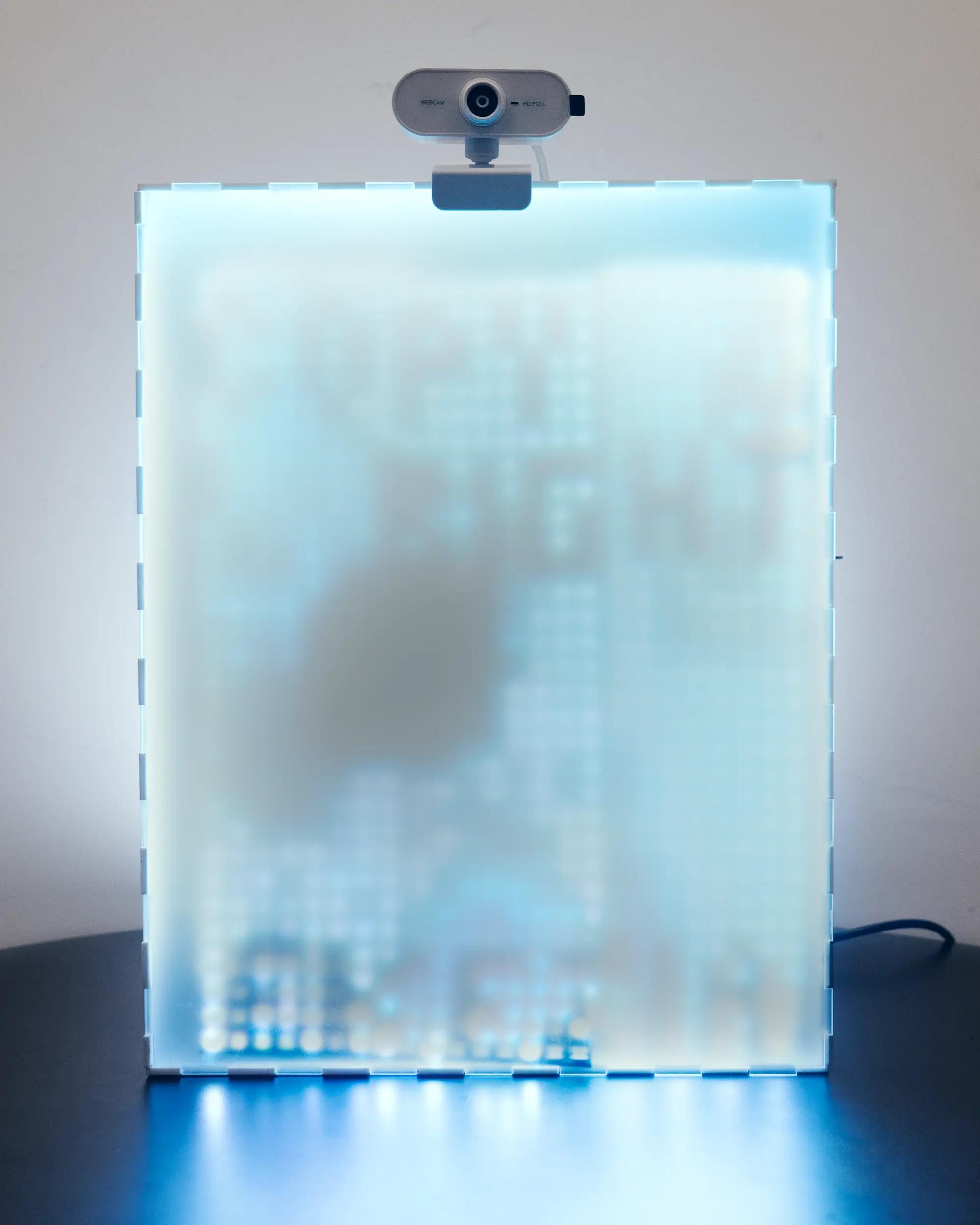
2. Aliasing -> more big brain energy, but presume too much of a knowledge from general audience.
3. Wikimedia Commons -> definitely copyright direction.
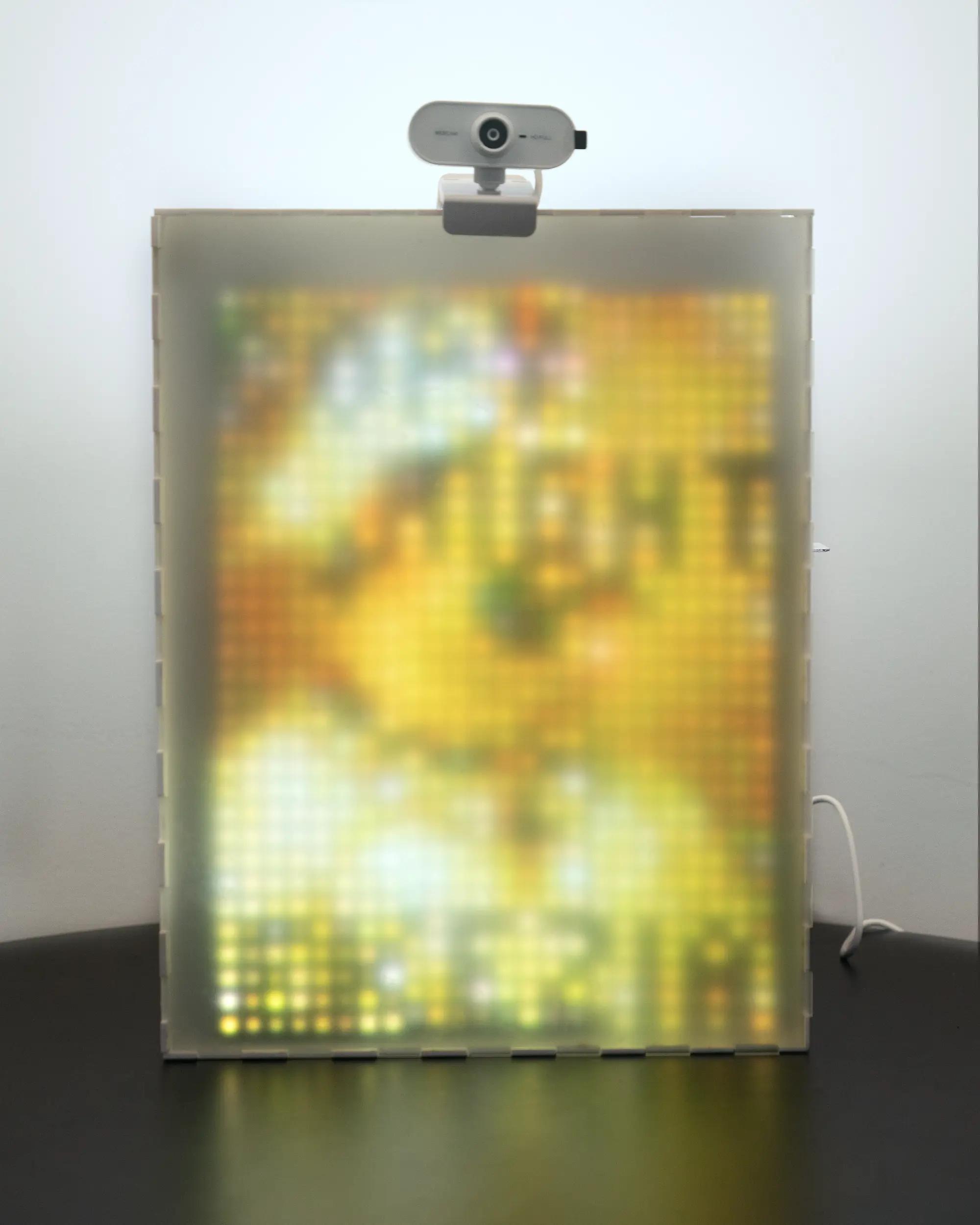
Documentation
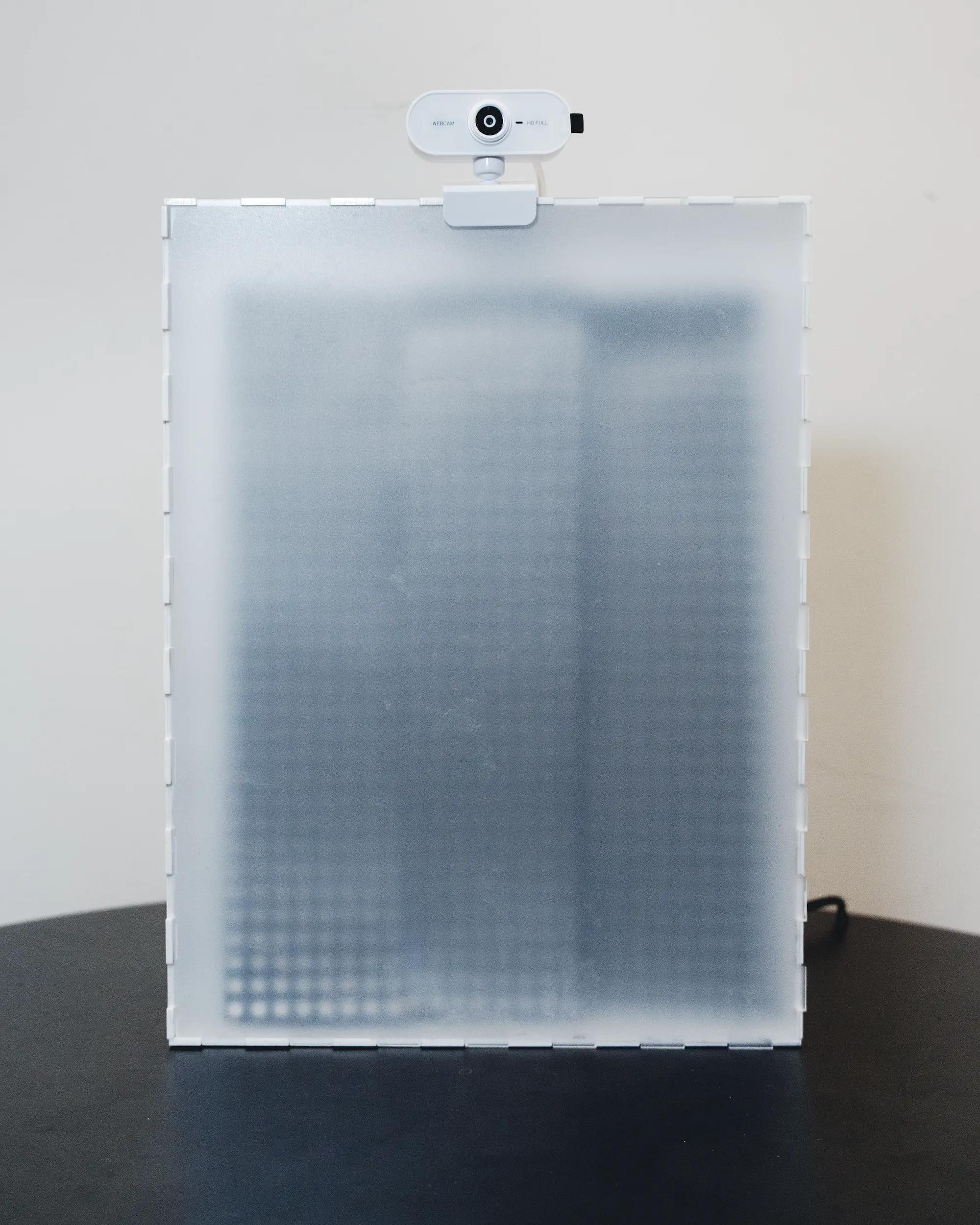
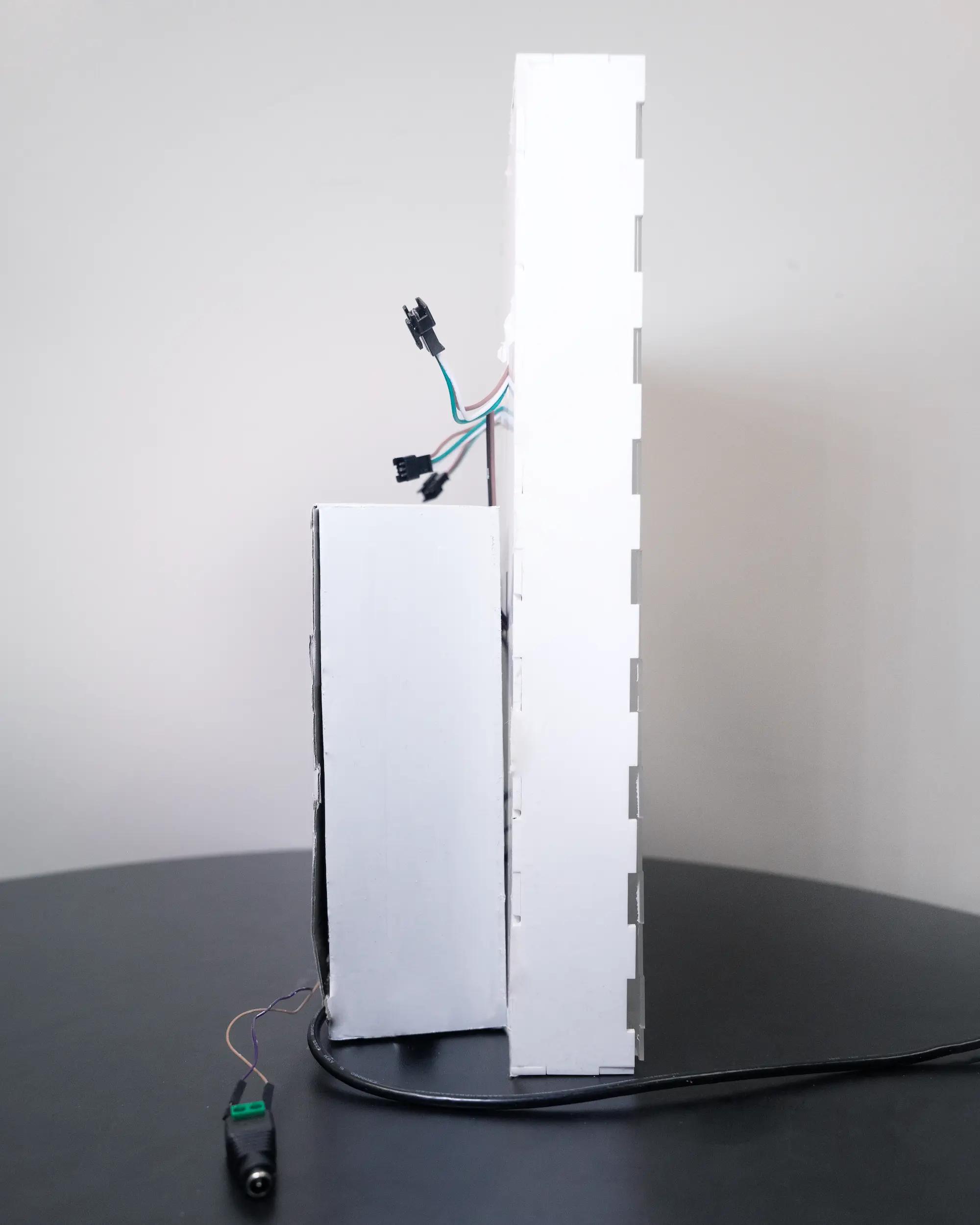
a crosscheck with papers
Critical Flicker Fusion Frequency: A Narrative Review - Mankowska et al., 2021
The human eye can detect flicker at 50–90 Hz but reports are showing the possibility to distinguish between steady and modulated light up to 500 Hz.
This possible deviation conforms to my experiment findings, where I tried so hard to make my eyes perceive an LED as continuous at 125 Hz, but it is still perceiving as flickering. Turns out I'm like one of those people that (have probably adapted) to distinguish modulated lights in the recent reports. A discussion with Tom Igoe suggests a paper and possibility that humans have been living in LED-immersed environment may have affected the way our eyes perceive LED flickering and eye fatigue from the light.
Other things that I have learnt from this project is that this is not a mere installation work where people just go see and accept it as it is. It is dynamic not because it is responding to people, it is because there are so many dependent variable that I should have accounted from my audience.
According to Monkowski et al. (2021), the ability to detect flicker fusion is dependent on: (1) frequency of the modulation, (2) the amplitude of the modulation, (3) the average illumination intensity, (4) the position on the retina at which the stimulus occurs, (5) the wavelength or colour of the LED, (6) the intensity of ambient light [3,5,6] or (7) the viewing distance and (8) size of the stimulus [7]. Moreover, there are also internal factors of individuals that can affect CFF measures: age, sex, personality traits, fatigue, circadian variation in brain activity.
While I have my independent variable to be tested during my own study - which is flickering rate, I set it to a fixed rate during the exhibition. The color of the LED (white) and the average illumination intensity (100%) was never a variable that I change during the testing.
However, different people will have different retina positions which accounts for the perceptions of the flicker at higher rate that I mention before. For the other factors like viewing distance and size of stimulus, I have decided to make the viewing distance to be about 3 feet away -- typical gallery distance, so that the flickering is less apparent. Possible hypothesis of this phenomenon may be caused of the size of the stimulus that gets larger in shorter distance, hence making our eyes omit the perception of the flickering. However, things quickly change when viewed from a long distance, it is very easy to see the flickering! Imagine you being able to see a pattern when you zoom out of a picture instead of when you're gluing your eyes in front of the picture -- most of the stuff you notice are probably just the colors but no meaningful pattern at sight.
Conclusion
There are 3 main aspects that are changing here, 1 of them is internal to the artwork - the flicker frequency, the other 2 is external to the camera: fps and shutter speed. We're assuming that all cameras have the preferred fps and shutter speed here.
Another extra factor is the rolling band on phone camera, which will explain why on phone it produces a rolling scan effect, instead of showing entirely BLINK or entirely NOT at a time.
<insert the pic here>
Special thanks to Daniel Rozin, Tome Igoe, Sofi, Octavio, Christina, Billy Fadhila, Fabrizio, Cody Frost, and all friends :)
Elizabeth Kezia Widjaja © 2026 🙂